Google Assistant for College
Design lead on a four-student UX team
- Company
- Industry
- Tech
- Timeline
- Sept. 2022 – May 2023
- Duration
- 9 months
TL;DR
- One of four UX students selected by Google to research why college students chose Siri over Google Assistant.
- Led the design work: sketches, wireframes, conversational flows, and the high-fidelity Figma prototype.
- Research across 50+ students surfaced Canvas as the daily tool no voice assistant had touched.
- After testing the prototype, student interest in Google Assistant rose from 4/10 to 8/10.
- Figma
- Prototyping
- User Research
- Surveys
- Interviews
- Affinity Mapping
- Personas
Google selected four UX students from the University of Michigan for a nine-month research and design project on Google Assistant. We worked directly with a Google Assistant team as our partner. The brief was open: figure out why college students were choosing Siri over Google Assistant, and design something about it.
We surveyed and interviewed 50+ students and kept hearing the same thing. Every student used Canvas daily. Every student found it frustrating. No voice assistant had tapped into it. I led the design of a Canvas integration for Google Assistant, and after testing the prototype, student interest doubled.
My Role
One of four students working with a Google UX partner team. I led the design work and made most of the design decisions: sketches, wireframes, the high-fidelity Figma prototype, and the conversational flow for each Canvas integration. On research, I led the competitive analysis with input from my teammates, distributed the 50+ student survey, conducted several of the interviews, and worked on affinity mapping with the team. My teammates wrote the survey and interview questions.
Problem
College students were using Google Assistant far less than career professionals, and were choosing Siri over Google Assistant. The question we set out to answer was simple: how can Google Assistant better fit the lives of college students and attract more college users?
Research
Five research methods across 50+ students. Understanding how Google Assistant could fit into student life.
- 01
Competitive Analysis
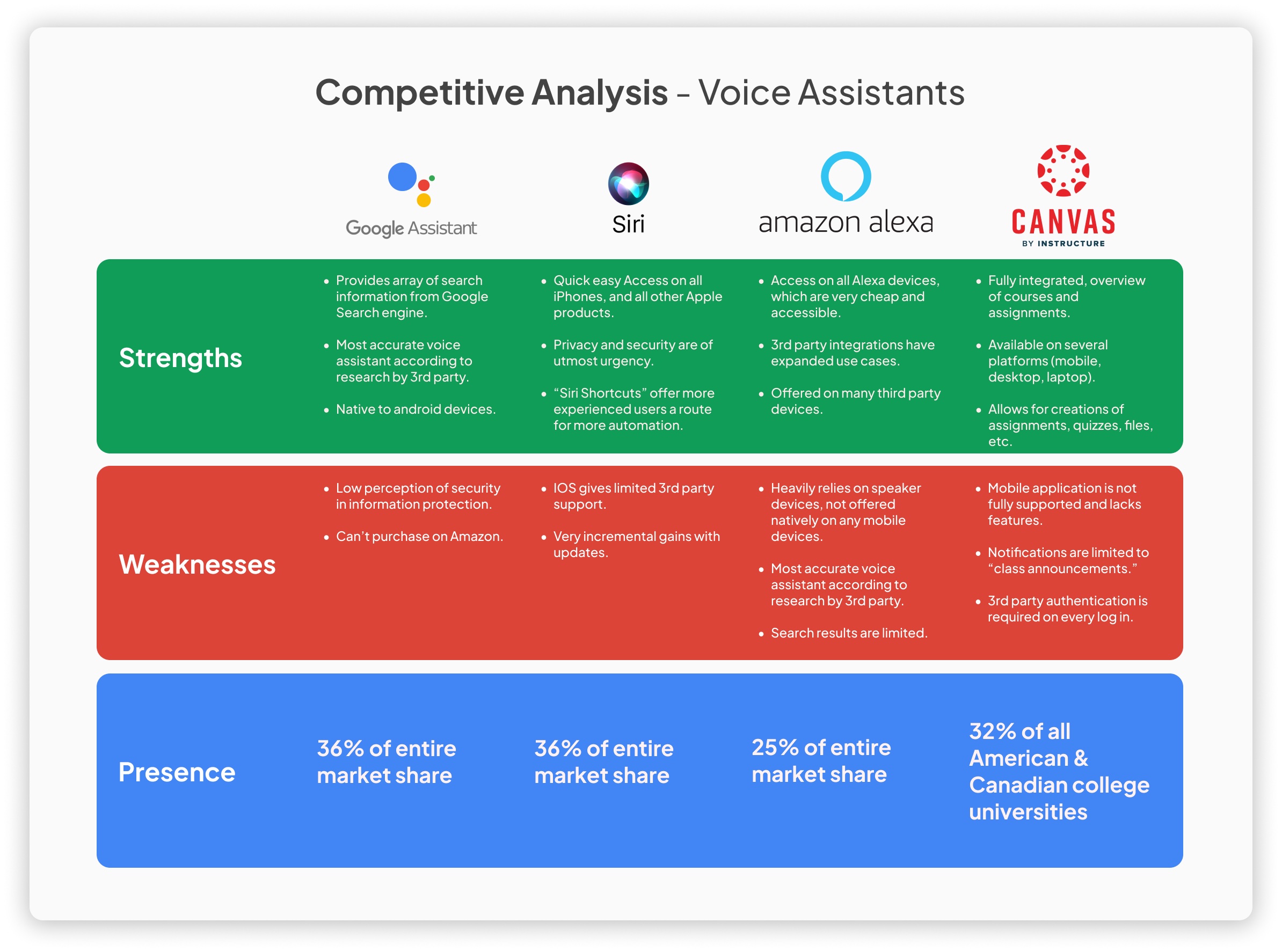
Before talking to a single student, we mapped what they were already using. Siri, Alexa, and Canvas were analyzed as direct and analogous competitors. Canvas stood out immediately as a tool so deeply embedded in student life that it became the lens for everything that followed.
- Siri
- Alexa
- Canvas
- Analogous Research
- 02
Surveys
We recruited 50+ University of Michigan students through Slack channels and university email, using screening questions to verify enrollment. Students shared how they used voice assistants and productivity tools, surfacing a clear pattern: Google Suite and Canvas were central to their academic workflows.
- 50+ Participants
- University of Michigan
- Screened Recruitment
- 03
Interviews
Seven participants joined in-depth follow-up interviews to go beyond what surveys could capture. These conversations surfaced the nuances of how students actually interacted with productivity tools and where they felt frustrated, underserved, or simply disengaged.
- 7 Participants
- In-Depth Interviews
- Qualitative Research
- 04
Affinity Mapping
Survey and interview data was synthesized into an affinity map organized around three themes: use of productivity apps, current voice assistant behavior, and desired assistant capabilities. This structure gave the team a shared understanding of what students actually needed before any design decisions were made.
- Synthesis
- Thematic Clustering
- Team Collaboration
- 05
Personas
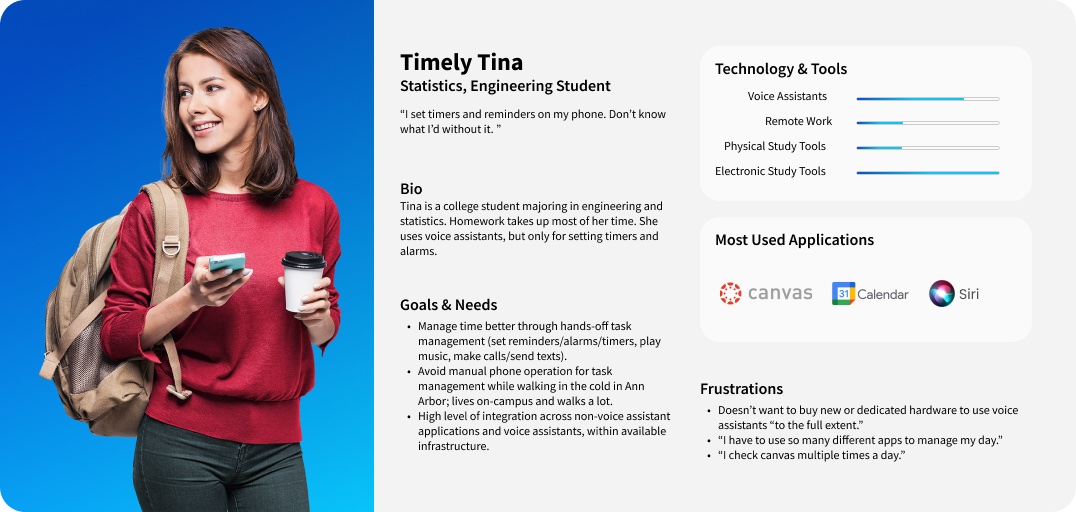
From the research we developed personas representing the range of students we encountered during surveys and interviews. These kept every design decision grounded in real needs rather than assumptions, and served as a reference point throughout the entire design phase.
- User Personas
- Empathy
- Research Synthesis
Solution
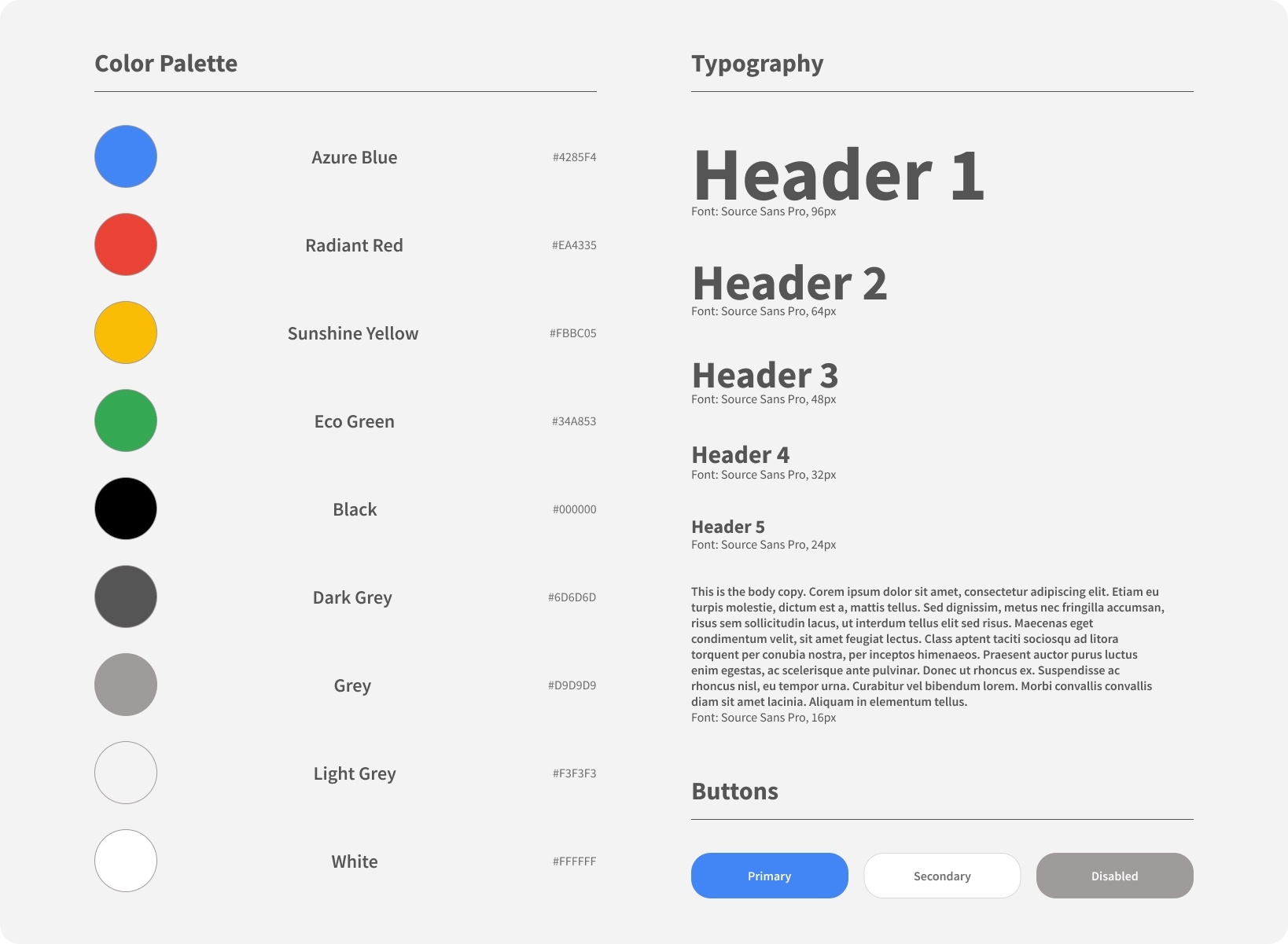
Because we were designing for Google Assistant, the visual and interaction work had to live inside Google's existing design language. I created a style guide based on the Google design resources available to us, pulling together the components, type, and color we'd use for the prototype. That kept us anchored to what students were already seeing in Google products and let the team focus on the conversational flow and the integrations themselves, instead of getting pulled into typography or color decisions every time we drew a new screen.
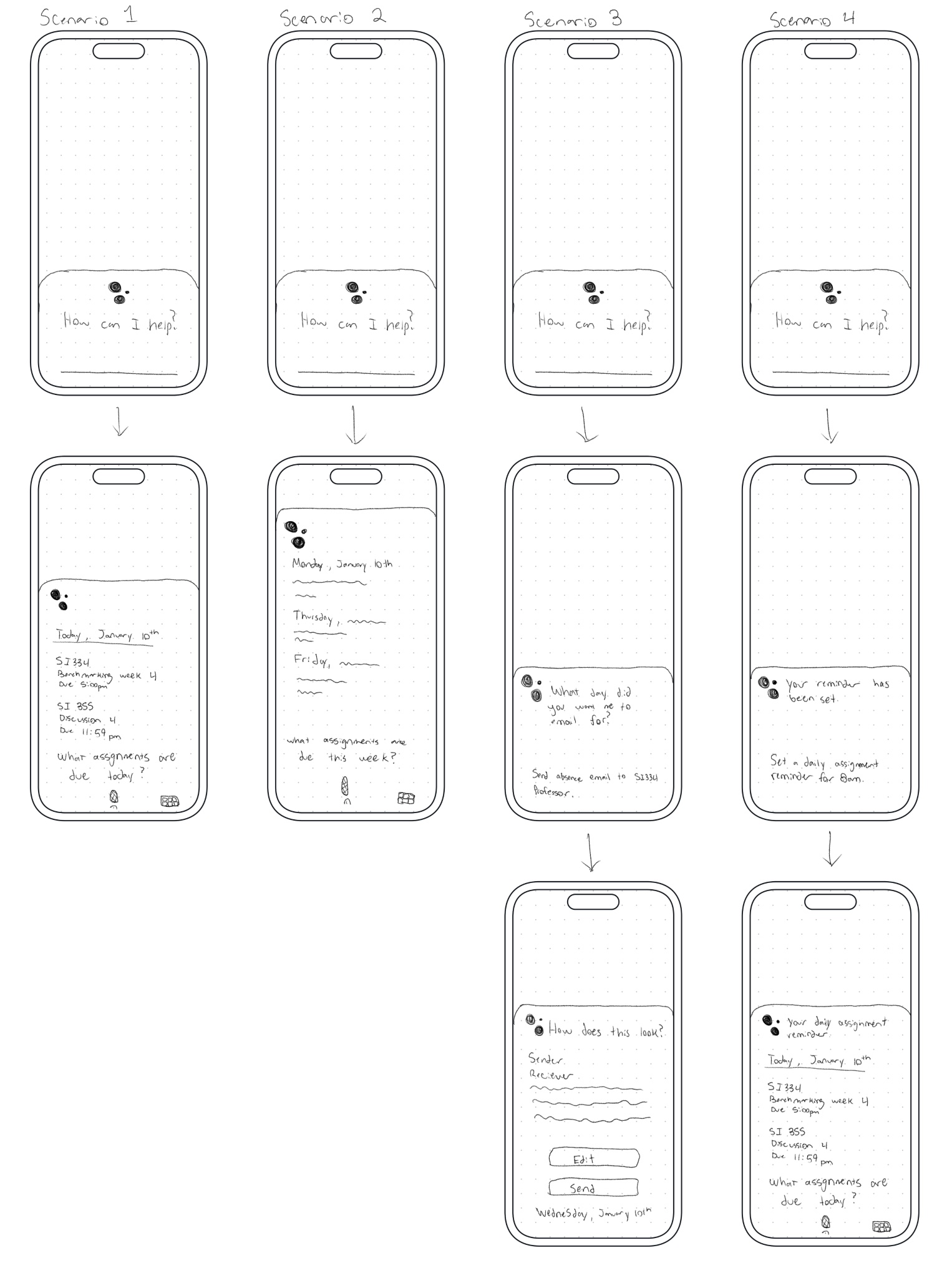
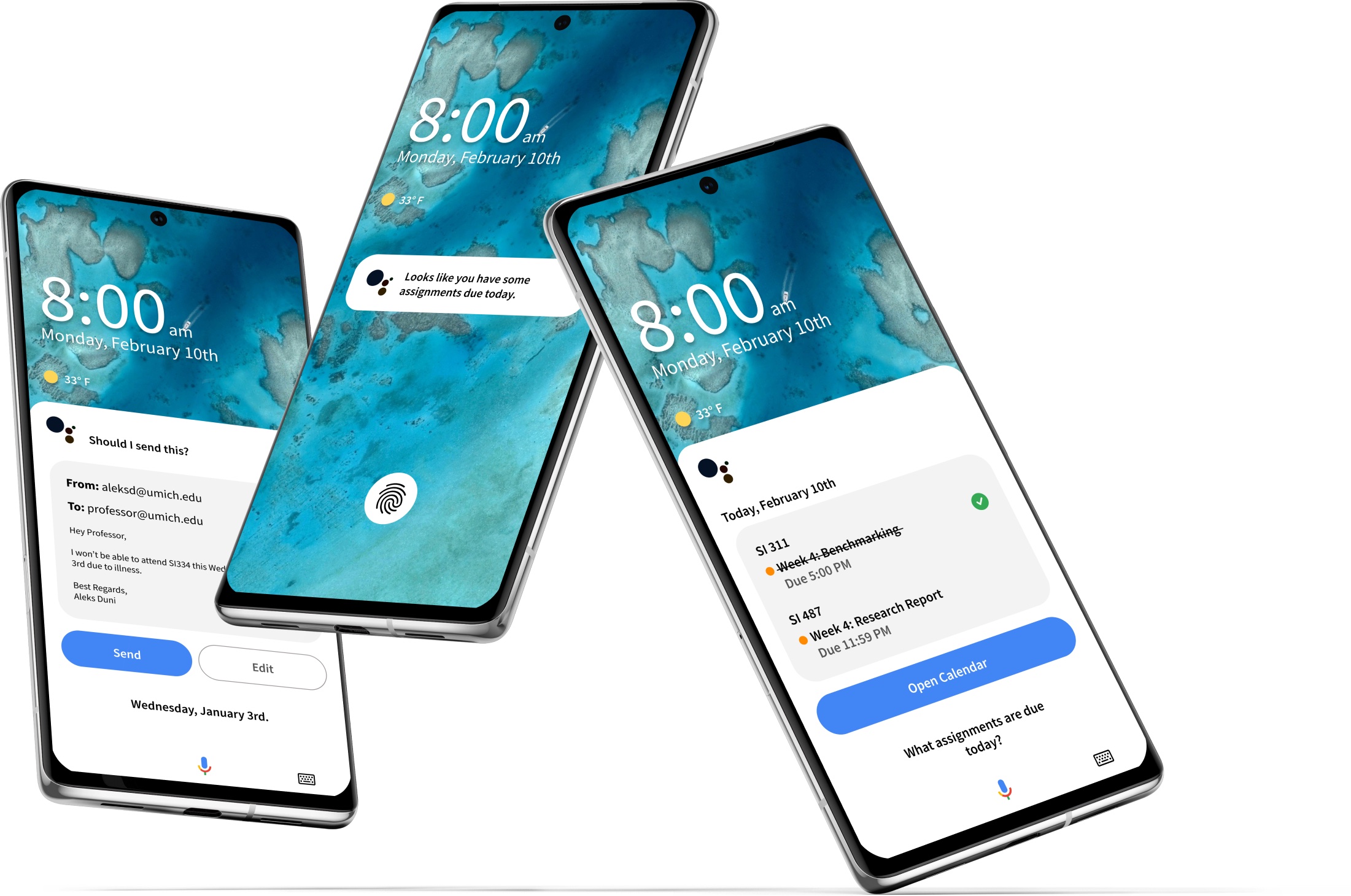
The solution centered on four Canvas integrations: checking assignments due today, checking assignments this week, sending an absence email to a professor, and setting a daily reminder.
Every student we spoke to used Canvas daily but found its notification system unreliable. None of the competitors, not Siri, not Alexa, had tapped into it. That was the opening. Integrating Canvas gave Google Assistant a unique edge and gave students a real reason to use it.
From rough sketches to a high-fidelity prototype
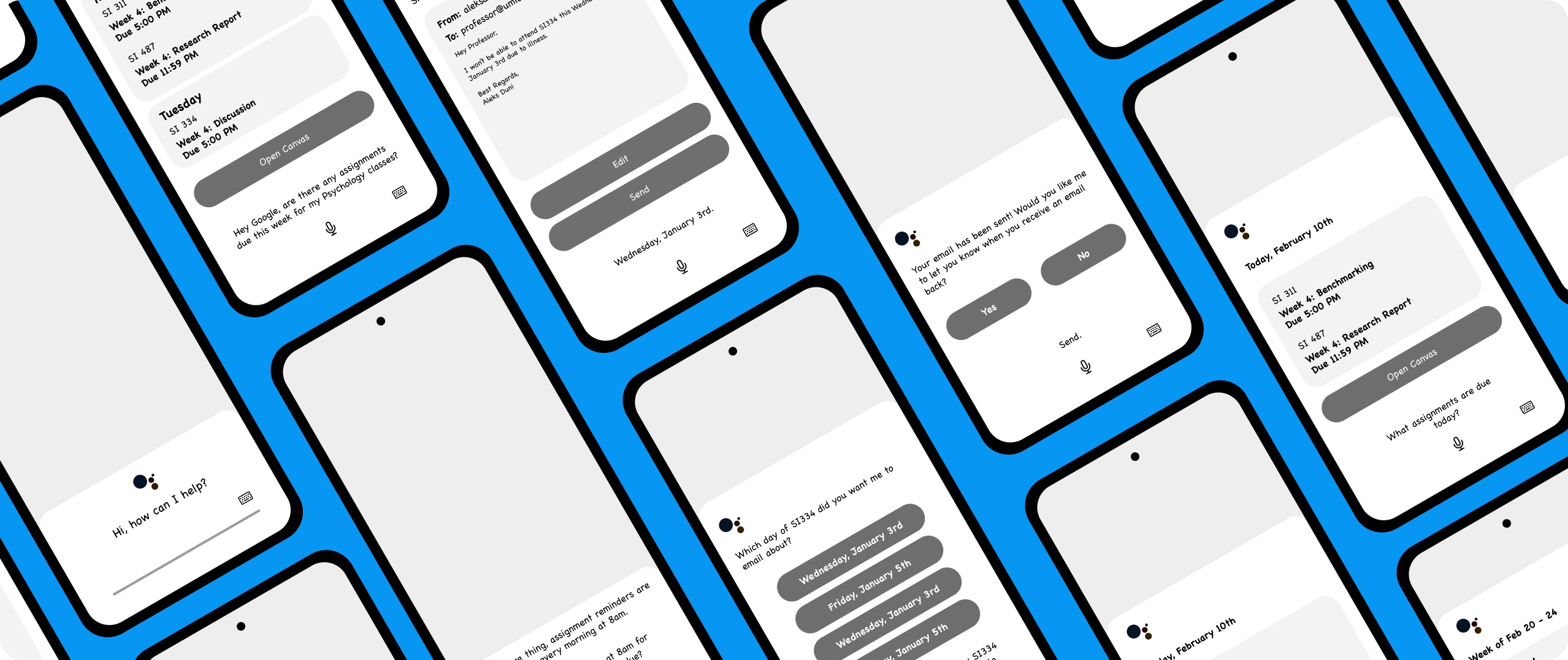
Four Canvas integration scenarios were sketched out by hand, each exploring a different high-frequency student use case identified through research. Sketches became wireframes, the style guide kept the visuals inside Google's design language, and everything came together in the final Figma prototype.
- 01
Sketches
Hand-drawn scenarios exploring four high-frequency student use cases identified through research.
- 02
Wireframes
Low-fidelity structure for each conversational flow and screen.
- 03
Style Guide
Components, type, and color pulled from Google's design resources.
- 04
Prototype
A high-fidelity, clickable Figma prototype of all four Canvas integrations.
Outcome
Student interest doubled after one session with the prototype.
After testing the prototype with students, interest in Google Assistant rose from 4/10 to 8/10. Canvas was the thing that worked. Students opened it every day, knew it was broken, and no competitor had touched it. The prototype made the value real to them in one session. What I took from the project: the insight didn't come from what students complained about, it came from how we asked. Canvas only surfaced when we specifically asked what tools they used every day.
- Interest before new feature
- 4/10
- Interest after new feature
- 8/10
“If the assistant could connect to Canvas, I would say that will be helpful.”